TODO:
link to group mamagement page
write introduction paragraph
create section with the basic creation and minimal configuration
¶ Group creation
There are three ways of registering a new group in OpenIRIS.
- If you want to add a group to the organisiation you belong to
Browse->Groups->New Group - If you want to add a group to a specific department or institute
Browse->Department/Institutes->manage (gear icon)->Groups->+ Register group - If you want to add a group to a specific organisation
Browse->Organisation->manage (gear icon)->Groups->+ Register group
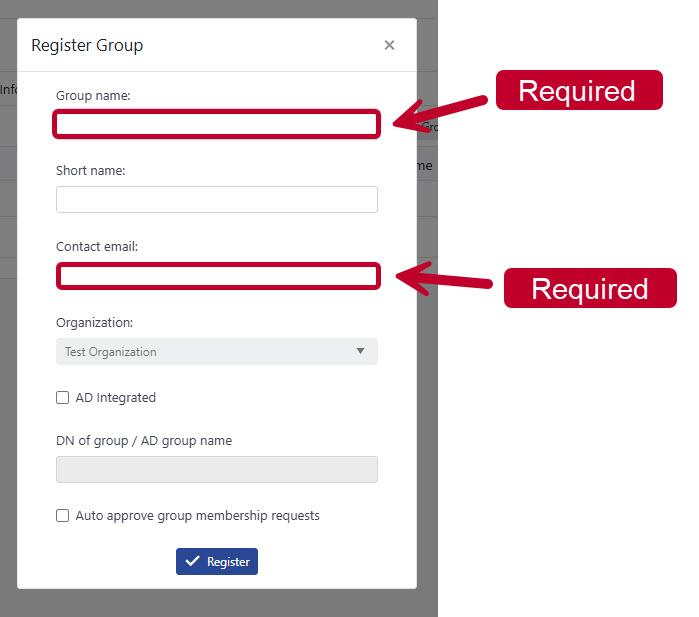
After clicking New groupor + Register group a from to add the relevant information will open up.
Add the relevant information of the group name, contact email and organisation.
If needed, add a short name, AD integrated and Auto approve group membership request
¶ Bulk import groups
There are two ways to bulk import new groups in openiris.io.
- If you want to import groups to a specific department or institute
Browse->Department/Institutes->manage (gear icon)->Groups->+ Bulk import groups - If you want to add a group to a specific organisation
Browse->Organisation->manage (gear icon)->Groups->+ Bulk import groups
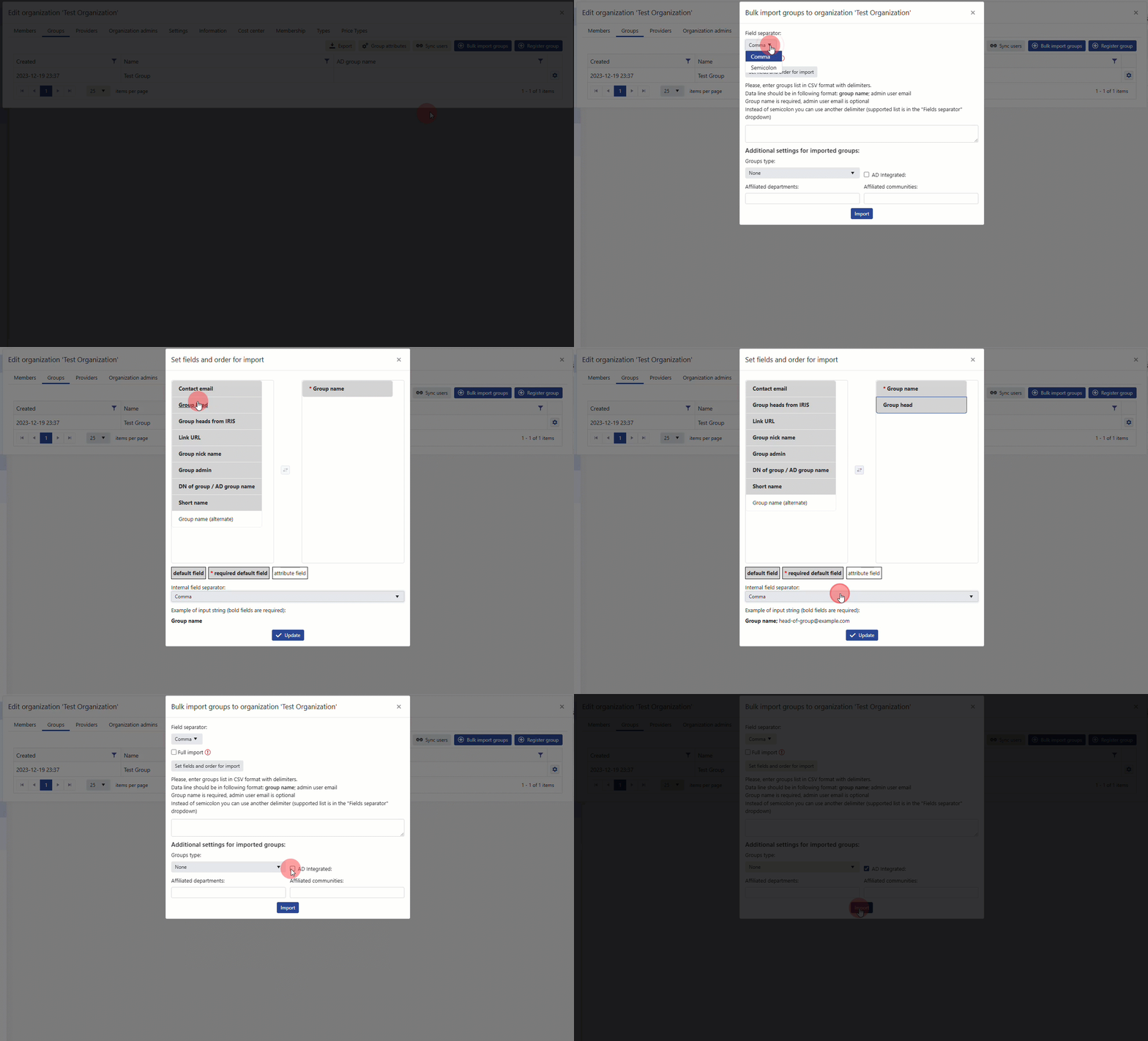
Select a Field Seperator
Select Set fields and order for import
Choose the fields and attributes you want to use and set the Internal field seperator
Select the ad Integrated Button
If needed, choose a Group Type and affiliated departments/ communites