This page explains how the publication tracker works and how users can manage ORCID-based publication data in openiris.io. It guides you through adding ORCID iDs, reviewing imported publications, and assigning them to the core cacilities involved in the work.
¶ Publication Tracker
The publication tracker links users’ publications to the provider, resources and services that supported the work. By drawing on validated ORCID data, it gives providers a transparent view of the scientific output generated with their resources.
Users can review and assign their publications, while admins can monitor, filter, and export data for reporting.
This visibility is essential for core facilities: it demonstrates their scientific impact, strengthens funding proposals for new infrastructure, and ultimately benefits researchers by enabling better equipment, improved services, and future-ready facilities.
¶ Adding your ORCID iDs
If the provider-admin made ORCID iD required for a dedicated resource then you will only be able to book if you entered a valid ORCID ID in your profile.
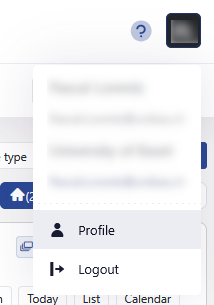
To do so, click on your initials top right and then click on profile.
 |
|---|
| Profile |
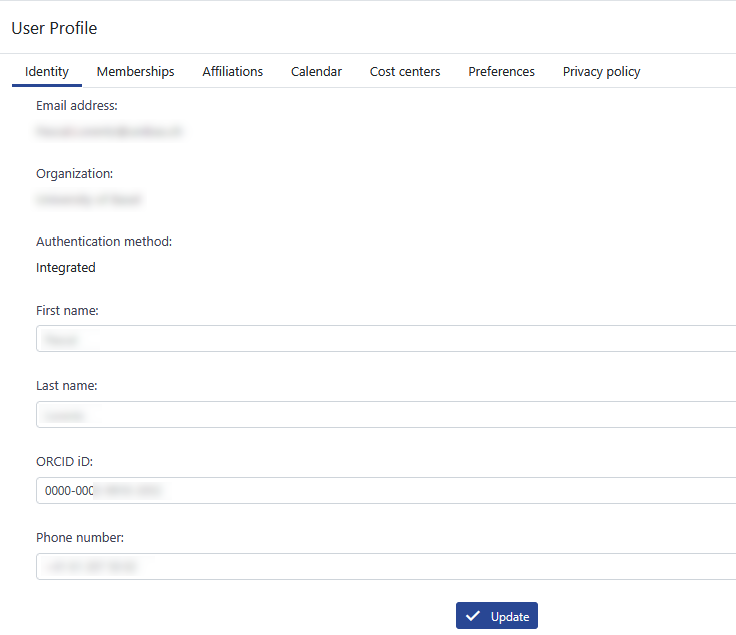
In the identity tab add your ORCID iD.
 |
|---|
| ORCID iD |
It could also be that your organization-admin already imported all user ORCID iDs or that they are collected from the active directory. In this case you do not need to add it manually and it will already be listed in your profile.
¶ Assign publications
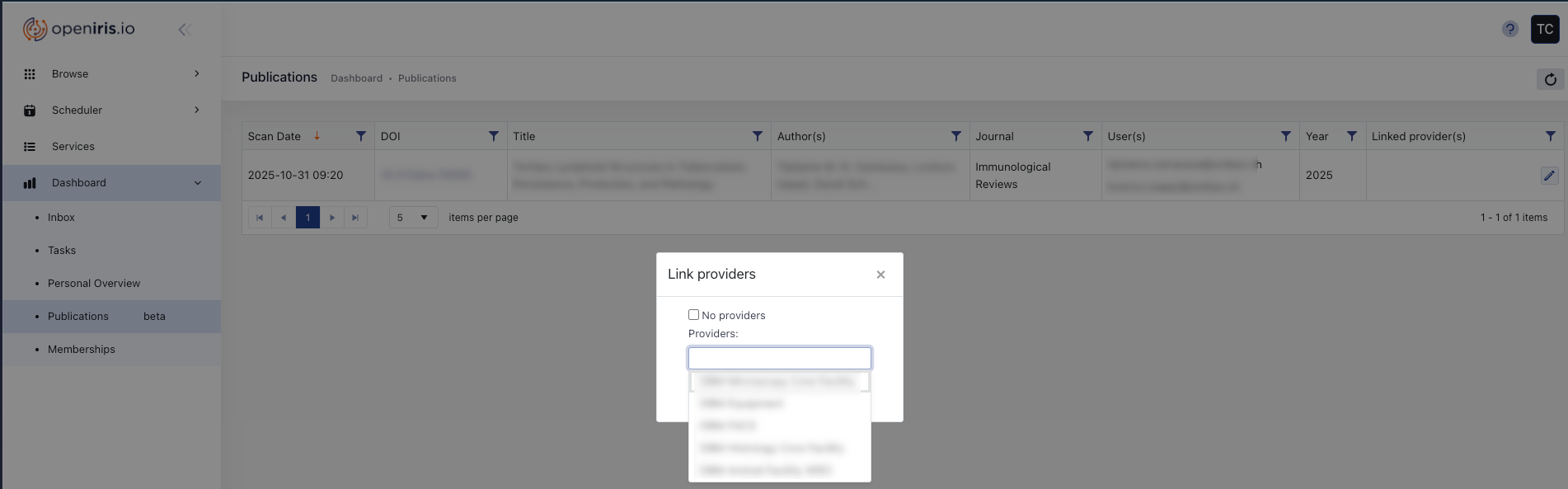
After a provider-admin has imported publications, they will be listed under Dashboard > Publilcations. Users see the publications in their dashboard and need to assign imported publications to the providers that have been involved in the work (several can be selected or none). Users will receive monthly reminder emails if they have unassigned publications.
 |
|---|
| Assign publications |