Most providers require users to select a group in order to book a scheduled-reasource or submit a service-request.
Certain organitzations configure their authentication service so to provide the group information to openiris.io and allow automatic group assignment.
Group membership can also be configured manually. Administrators can assign users to groups but users can also proactively request access to groups.
¶ Check group memberships
There are two ways to determine if you have been assigned to a group:
- Navigate to your user profile settings
Login button > Profileand then select the tabMemberships. - Navigate to
Browse > Groupssection and see if any groups are listed
 |
|---|
| Viewing the memberships tab in the user profile |
¶ Requesting group access
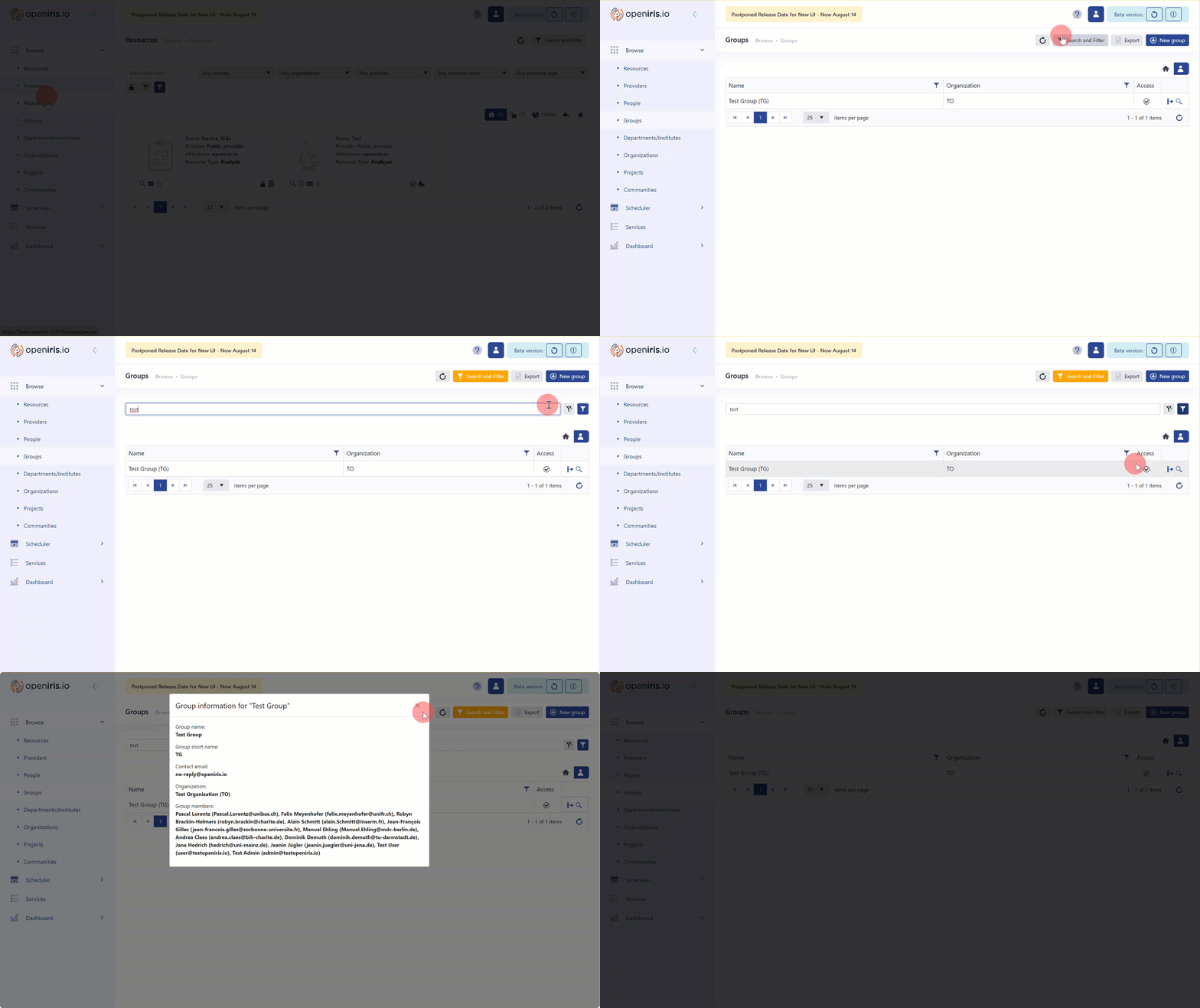
If you are not assigned to a group you need to request to join your desired group as follows:
- Navigate to
Browse > Groups. - Click on the button to view all groups for your organization.
- Click on the
Search and Filterbutton to open the drop-down search menu. - Search for the group name using the search bar.
- To search, confirm with
Returnbutton or click on theSearch and Filterbutton next to the search field. - Locate your group click on the icon to request the group membership. Following this action, a membership request will be sent to the group admin for approval.
If there is no icon, you will need to get in touch with the designated group contact person (visible via the icon of the respective group). - If your request has been approved, a
Check markwill appear in place of theArrow symbol. You can also confirm your group membership in your user profile settings underMemberships.
 |
|---|
| Finding a group and requesting access |